You manage a cloud server with us entirely in the Customer Center, from the first start to deletion. No additional panel, no second account.
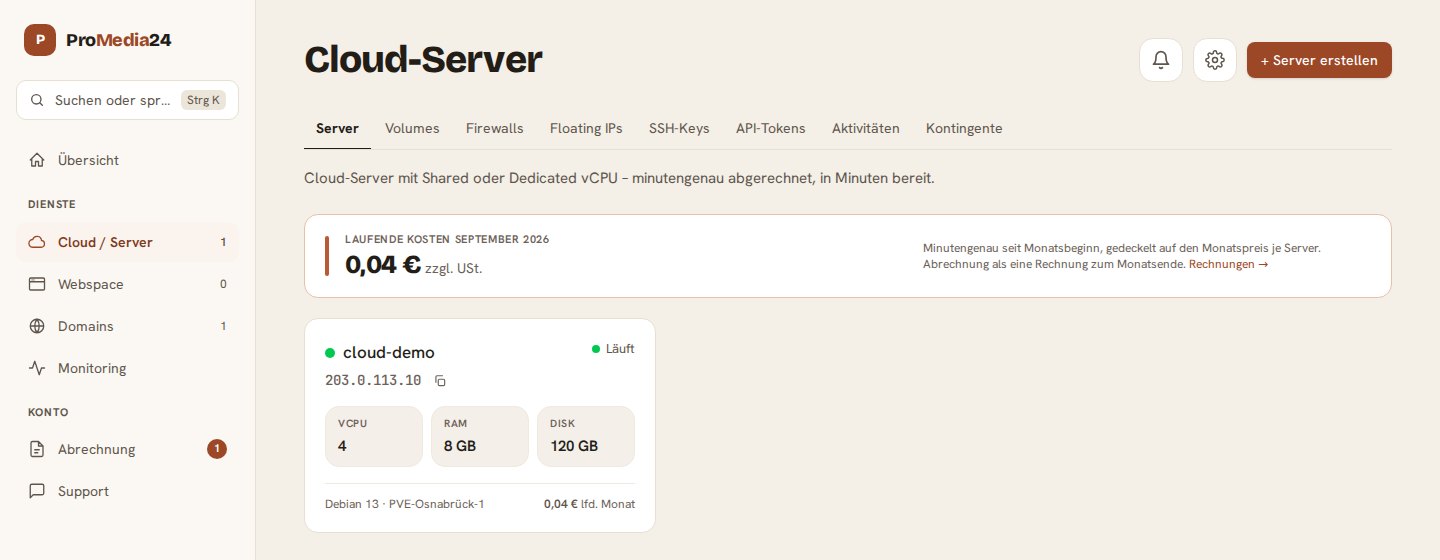
The overview
Under Cloud / Server you see each server as a card: status, IP address, CPU cores, memory, disk, operating system, and what it has cost so far in the current month. Billing is by the minute, capped at the monthly price of the server type. A deleted server costs nothing from the moment it is deleted.
One server, every action
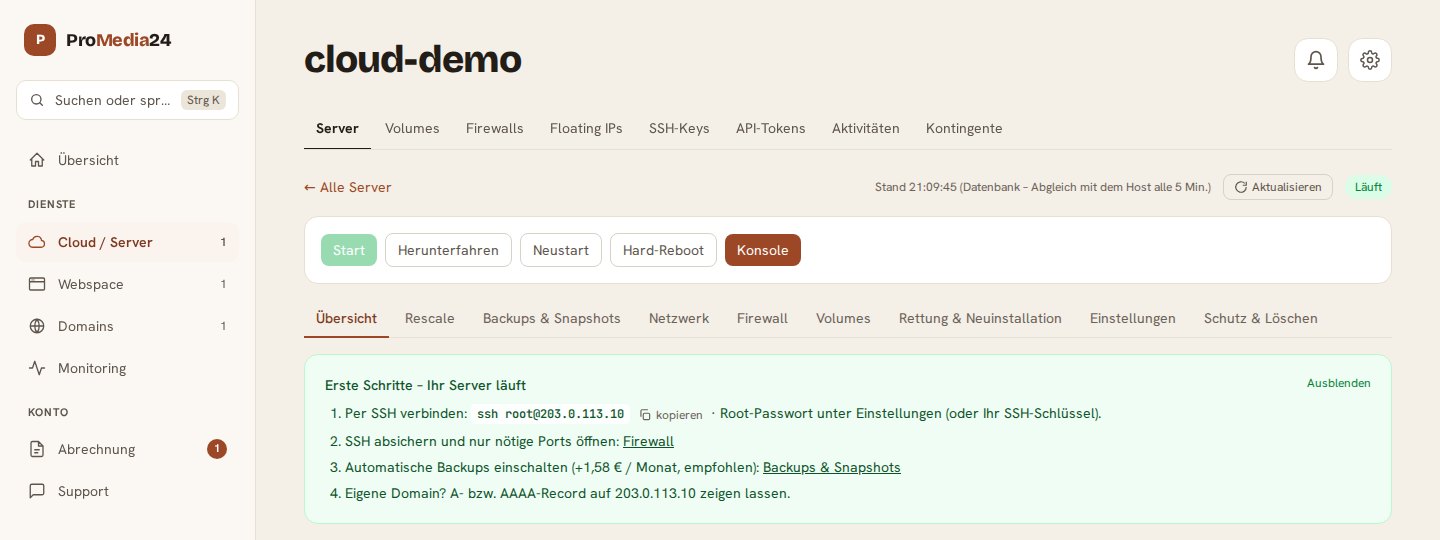
On a server's page you will find the buttons for start, shutdown, restart and hard reboot at the top, as well as the console in your browser, which is handy when SSH is not reachable. Below that are the following sections:
- Overview and graphs: load by hour, day, week or month.
- Rescale: more cores, more memory, a larger disk.
- Backups & Snapshots: save a state before an update and restore it if needed, automatically every day if you wish. In addition, we save a full copy to separate storage every week.
- Network: IPv6 is always included, and you can book an additional IPv4 address.
- Firewall: define which ports are reachable from outside.
- Volumes: attach additional storage and detach it again.
- Rescue & Reinstallation: start a rescue system or set up the operating system from scratch.
- Protection & Deletion: when protection is enabled, it prevents accidental deletion, reinstallation and restoring.
Actions that cost data or trigger charges ask for confirmation first and tell you exactly what will happen.
For those who automate
Under SSH-Keys you store your keys once and select them for each new server. With API-Tokens you can also control your servers from your own scripts. Floating IPs move from one server to another with a single click.
Don't have a cloud server yet? All server types and prices are on the Cloud-Server page. Questions? Write to us. We usually reply the same day.